website stat Screen Capture Software, Your Favorite(s)? | The Windows Forum
Install the app
How to install the app on iOS

Follow along with the video below to see how to install our site as a web app on your home screen.

Note: This feature may not be available in some browsers.

Welcome to TheWindowsForum

Since 2010 — Over 15 years of helping Windows users worldwide.

Join thousands of Windows enthusiasts & IT pros. Ask questions, share tips, download resources, and connect with the community — free and always friendly.

  • Post & reply in threads
  • Private message other members
  • Access exclusive guides & downloads
  • NO ADS for registered users

Screen Capture Software, Your Favorite(s)?

DVDR_Dog

Ultimate Donator
VIP
Joined
Nov 5, 2018
Messages
3,473
Everyone seems to have a favorite.
Currently I rely on the Windows program or for something more complicated Wondershare.
I know this may have it's limitations. I am curious what's your favorite and why?
A recent discussion at work was price vs. benefits. I know I eliminate that when I normally discuss software here.
This is a commercial installation, and let's pretend we aren't pirates here.
I see Greenshot on many of our users systems, it's on the approved list.
Rather than name dropping, from a neutral start, what do you like and what are you using?
 
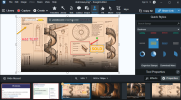
I'm inspired. win+shift+s got me lazy. I have been using Wondershare UniConverter for live captures, does an ok job at that. Lets see how SNAGIT has evolved.
 
The only conflict I stumbled across was with this:
I used Snagit's "Grab Text" (OCR) feature for long time. Then I started to play with Win Power tools and it's OCR on screen capture. They conflicted and now the Snagit version doesn't work. The rest of Snagit is fine.
I have ABBYY which has a screenshot OCR function too and I resort to that when these collisions occur.
 
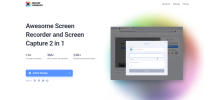
Looks nice, gotta be online for some features, but basics can be done offline too.
Gotta pay to turn on features. I tried annotation, added an arrow, a box,, then tried a sticker, or image, or wat3ermark. "Item limit reached".
If you want OCR gotta get AI extension, looks like there's a cost there too.
AND, not available on Firefox.
 
This started I had with a co-worker in regards to installing Snagit on a users system and the costs vs returns. Snagit does have some unique features and does what it does very well. It was more of a do you need al these features? Otherwise might as well use Windows built-it or open-source offerings.
 

Support TheWindowsForum

Help us stay ad-free and keep the community running

Donate Now

Trending content

Back
Top