
TWF Bot
Staff member
- Joined
- Nov 29, 2020
- Messages
- 3,680

- Thread Author
- #1
Hello Windows Insiders, Today, we’re releasing new Windows 11 Insider Preview builds to the Beta and Experimental channels. New builds this week Select your channel below to view its release notes:
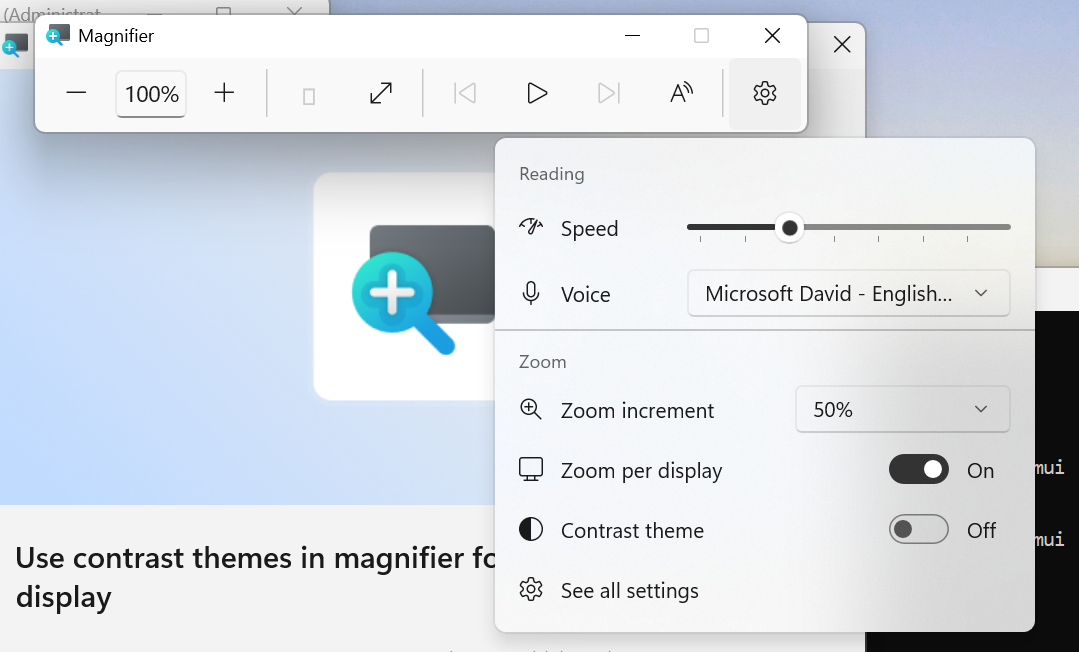 UI showing the new contrast theme toggle in Magnifier[/caption]
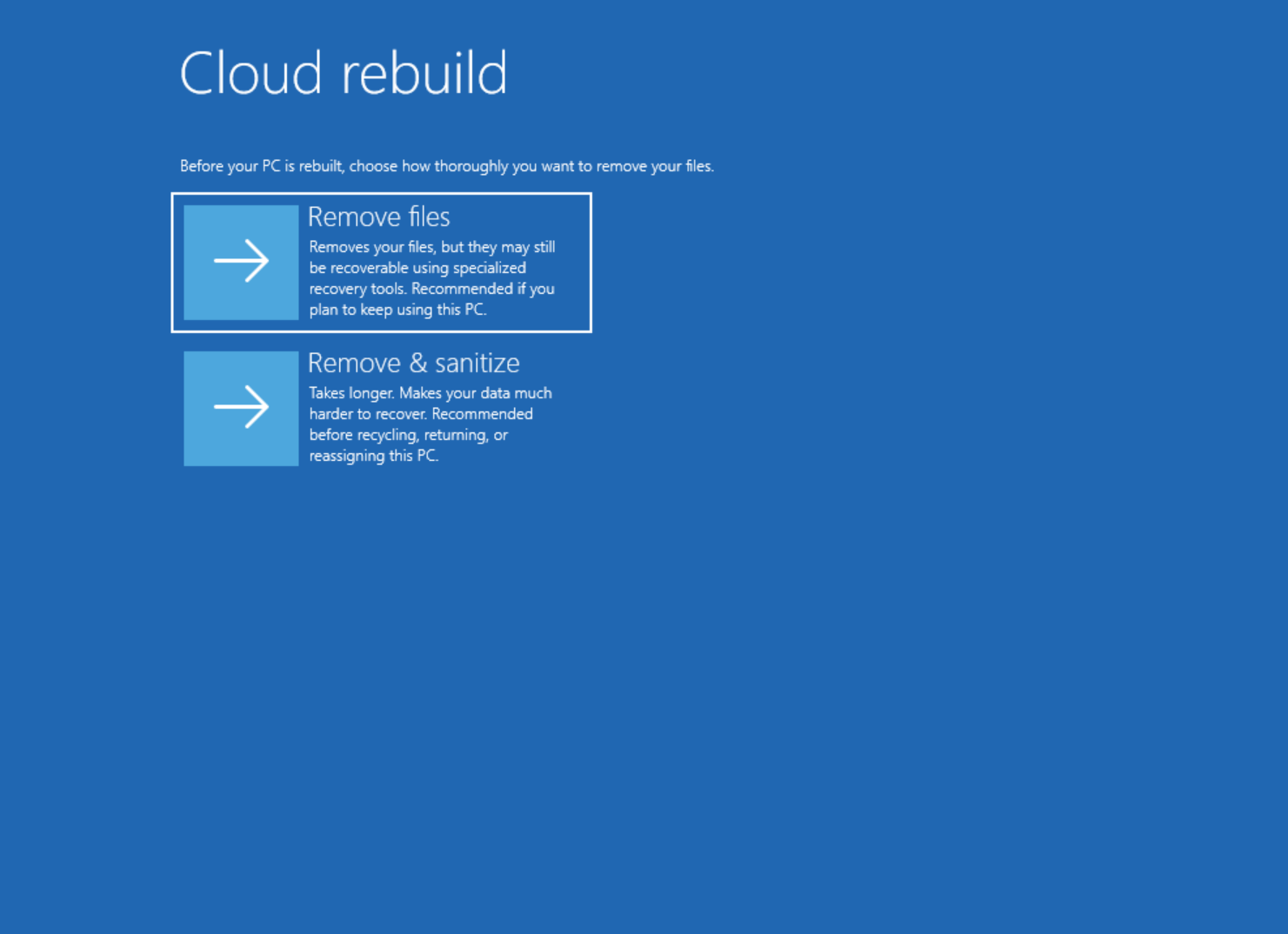 UI showing new Cloud rebuild file removal options.[/caption] Thanks, Stephen and the Windows Insider Program team
Continue reading...
- Beta: Build 26220.9492
- Experimental: Build 26340.9502
- Experimental (26H1): Build 28120.3032
- Experimental (Future Platforms): Build 29671.1000
Notable new features:
[Accessibility - Mouse indicator]
Release channel: Experimental- We're introducing a sleeker new animation for the Mouse indicator. This can be enabled under accessibility settings. We've also added the option to keep the indicator activated until the user presses the escape key.
[Magnifier]
Release channel: Experimental- A new contrast theme toggle for a lower-glare screen. If bright screens are uncomfortable, many people use color inversion to reduce glare. However, inversion changes everything on screen, including photos, charts, and videos. With this update, we're introducing a new contrast theme toggle in Magnifier. Check out the release notes link for more information.
UI showing the new contrast theme toggle in Magnifier[/caption][Cloud rebuild]
Release channel: Experimental- We're updating Cloud rebuild, the recovery option that restores a Windows 11 PC to a clean, known-good state by performing a full OS reinstall, with two additions. Cloud rebuild can now sanitize the device's drives as part of the rebuild and IT administrators can now configure and start Cloud rebuild remotely through the Recovery CSP. See release notes for more information.
UI showing new Cloud rebuild file removal options.[/caption] Thanks, Stephen and the Windows Insider Program teamContinue reading...

