priddymuch
New Member
- Joined
- Sep 6, 2025
- Messages
- 3
- Thread Author
- #1
Follow along with the video below to see how to install our site as a web app on your home screen.
Note: This feature may not be available in some browsers.
Since 2010 — Over 15 years of helping Windows users worldwide.
Join thousands of Windows enthusiasts & IT pros. Ask questions, share tips, download resources, and connect with the community — free and always friendly.
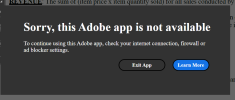
Disable updates, block acrobat with firewall and use patch again.Getting this pop up about the app being disabled because it is not licensed... I followed the Read Me instructions. Any help on this?
It still doesn't work unfortunately. Here is what I did:Disable updates, block acrobat with firewall and use patch again.
It still doesn't work unfortunately. Here is what I did:
- "Automatically install updates" are disabled under Preferences in Acrobat.
- Steps I took to block Acrobat with firewall:
Windows Security > Firewall & network protection > Allow an app through firewall > Change settings > deselect Adobe Acrobat > OK
I also did this:
Windows Security > Firewall & network protection > Advanced settings > Inbound rules > New rule > Program > typed in "C:\Program Files\Adobe\Acrobat DC\Acrobat\Acrobat.exe" > Block the connection > selected Domain, Private, and Public > Finish
- I used the patch again, but after "Search" and "Patch", activity log for all 3 files say "No patterns were found or file already patched."
Did I get something wrong?
No dice.... any thing else I could try?Hi,
Download Adobe Cleaner and uninstall acrobat, reboot, re-install again (make sure to disable updates, block with firewall etc).
No dice.... any thing else I could try?
I followed the Acrobat DC installation procedure to the "T" .. including the additional steps of modifying the registry and the rest of it. The Disabled/Unlicensed message kept popping up but it works great when I turn off my internet connection .. So I blocked Acrobat with firewall ... here is the new message ..Disable updates, block acrobat with firewall and use patch again.

I installed (and reinstalled) painstakingly following the procedure with neurosurgeon attention.. nothing doing.. buffdaddy, you may be right about Adobe having a workaround for Adobe Acrobat Pro DC 2023.003.20244 (x64) version .. I will uninstall and try the 2025 Acrobat ProI've had the same problem, and in fact I had downloaded this and used it for over a year, and it worked fine until some months ago and suddenly got the Unlicensed notice. I just got around to re-installing your version today, was super careful, ran the cleaner beforehand, got rid of everything, everything installed easy like before, disabled updates, blocked the path on my firewall, I disabled Acrotray and Adobe updater on my Task Manager, same for Task Scheduler, and within minutes of opening Acrobat up when I reconnected to wifi, got the big red Unlicensed notice again. Yobbo, what is the full download name of the 2025 Acrobat Pro that you've said has no problems? I think Adobe has a work around for the 2023.003.20201 (x64) FULL download that seems pretty bulletproof.
Hi,I installed (and reinstalled) painstakingly following the procedure with neurosurgeon attention.. nothing doing.. buffdaddy, you may be right about Adobe having a workaround for Adobe Acrobat Pro DC 2023.003.20244 (x64) version .. I will uninstall and try the 2025 Acrobat Pro
Adobe methods of calling home is like cockroaches scattering in the light. It may work for a while, maybe longer, but the end is always near. I swear you are fighting a losing battle. You can get all the calling home gizmos adobe install blocked, then wham, it figures out another way. How it picks up new links? No one seems to know for sure. Use Revo to monitor the install, at least you will have a chance of doing a clean uninstall. You have to admit, you need all those add on goodies to get P.S. to do what you want to do. There's yet another vector to install a call home app. I doubt you will find it as a typical install, the sneaky b#st&rds. Such is life if you want to play with P.S. I would suggest doing a web search to try and keep up with Adobe's latest tricks.I tried the 2023-003-20201 version and within a few days I had the same problem with popups threatening disabling or closing the app as others have described. After uninstalling and running the cleaner, I decided to try the 2023-003-20244 version instead. This time I was very careful and followed the additional instructions about adding the firewall rules for blocking Acrobat as well. (I also disabled a service named Adobe Genuine Software Integrity Service as well as the Update Service.)
In addition, I used the Popup button in the patch to add an outbound firewall rule to block a list of addresses that will stop those pop-ups. Has anyone else used this option and encountered any issues?