
TWF Bot
Staff member
- Joined
- Nov 29, 2020
- Messages
- 3,676

- Thread Author
- #1
Hello Windows Insiders, we are excited to begin rolling out a new update for the Microsoft Copilot app on Windows that introduces the following changes and improvements: Connectors: Copilot on Windows now supports connecting to personal services like OneDrive, Outlook (including email, contacts, and calendar), Google Drive, Gmail, Google Calendar, and Google Contacts. These connections make it easier for users to find their content across multiple accounts. In this initial release, Copilot enables natural language search across all your connected services. For example, you can ask:
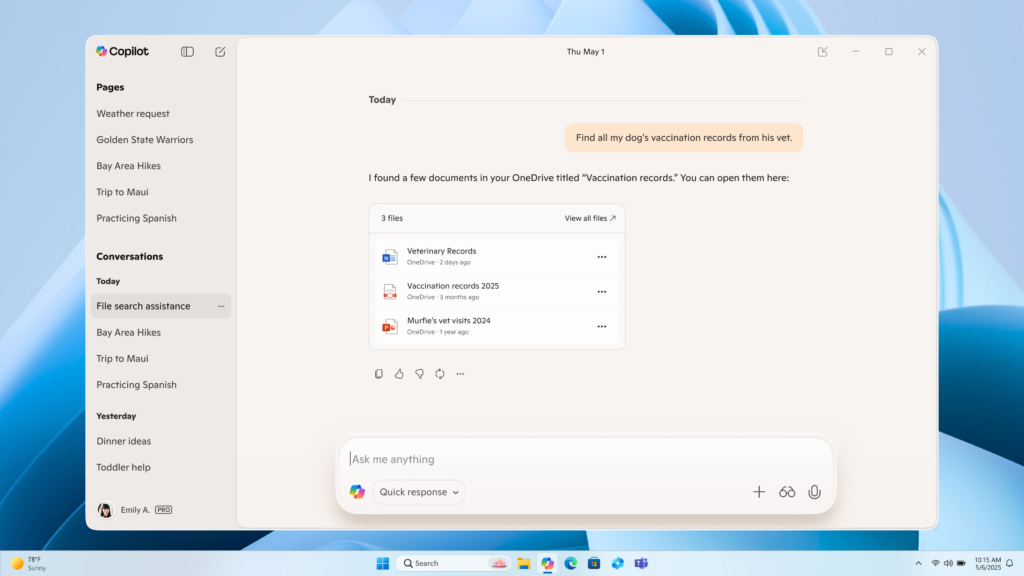 Connectors – OneDrive file search in Copilot on Windows[/caption] Document Creation and Export: Copilot on Windows now supports creating and exporting content into multiple file formats with a simple prompt. Users can generate Word documents, Excel spreadsheets, PDFs, or PowerPoint presentations and more directly from their Copilot session. Just ask Copilot, “Export this text to a Word document” or “Create an Excel file from this table,” and Copilot will create the file for you. With just a prompt, you can instantly turn ideas, notes, and data into shareable and editable documents with no extra steps or tools required. And for responses with 600 characters or more, Copilot also includes a default export button that lets you send text directly to Word, PowerPoint, Excel, or PDF. [caption id="attachment_178298" align="alignnone" width="1024"]
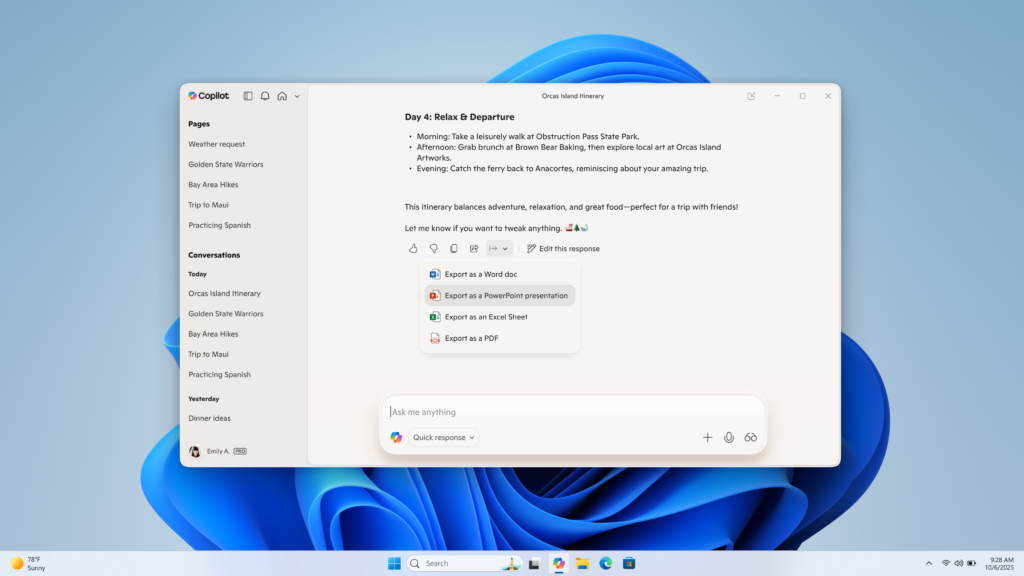 Document creation and export in Copilot on Windows[/caption] This Copilot app update (version 1.25095.161.0 and higher) is beginning to roll out across all Insider Channels via the Microsoft Store. The above-mentioned features are gradually rolling out so not all Insiders will get the update right away. We are excited to be previewing improvements with our Insiders to ensure all our customers have a great Copilot experience on Windows. FEEDBACK: Please provide feedback directly within the Copilot app by clicking on your profile icon and choosing “Give feedback”. Thanks, Microsoft Copilot Team
Continue reading...
- “What’s the email address for Sarah?”
- “Find my school notes from last week.”
Continue reading...


