
Diguelo
Donator
- Joined
- Feb 1, 2023
- Messages
- 896

- Thread Author
- #1
Ok time for a little science to get your speed cooking online and the vital ms to your gaming servers dropped.
As we go into the age of hyperspeed and light speed fibre broadband, well just hold on a second, this issue has been around since the internet was 56k modems and you had to fiddle to get every scrap of data in that phone line.
What causes it, online moise and signal degradation over distand, line capacitance and just basically shoddy workmanship. It is a well known fact in the UK a Wednesday connection install is going to be better than a Friday install.
Ok I hear you say, whats it mean to me?
Well for a start lets look at the route your data goes on its journey. Data is sent along lines in 1500 Kb packets with a sync pulse, a hand shake and an end pulse. so lets just say that its a packet of data
DATA > Router > wall socket > outsdie line > Junction box down the road > Underground cabling to the distribution point > Direct Name Server (DNS) > Routing through lines and satellites > DNS > Cables > Junction Box > Outside cable > Wall socket > Target
A small journey mostly of the order of 44000 miles give or take an orbit change or satellit reroute. Along the way it passes the world by and everything affects the quality of the signal sent versus the signal recieved at the other end.
So where doe sthis MTU come in? Well it comes in when you PC talks to the receiving PC and how long it takes to connect. After the signal is sent the receiving signal may only be about 80% of the sent packet size. So it just throws away that packet and sends a RESEND signal to your PC. so as you ban imagine. This is like talking to someone on the phone and they are saying "Say that again I didnt get it" all the time. So you speak slower and clearer to make it easier for them hear it. In essence you change your MTU so you can be heard at the other end.
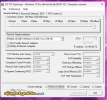
 tcpoptimizer.org
DOWNLOAD LOCATION. If you need it.
tcpoptimizer.org
DOWNLOAD LOCATION. If you need it.
So back in the day of Windows 3.1 this little tool was invented and is still with us today.
Once you get your fancy new superfast lightspeed internet connection and stuff installed at home, this is where the troubles begin. ISP providers like to turn their MTU up to 11 on the Volume control (reference to film "Spinal Tap") this is useless on all but those lucky few that live over the road from their ISP servers. Its also where the signal degradation starts. Your Home Router will be setup with the MTU at 1500 this is because every ISP thinks Their system is faultless. WRONG
So lets see what actrually is this little program used for. I live in approximately central United Kingdom. give or take 100 miles. I have a 150Mb/sec connection to my ISP and im going to see how my connection holds up at 1500 MTU by pinging the BBC in london about 100 miles away ish and stay on terrestrial lines, no satellites involved.
Using the CMD PING function gives me
C:\Windows\System32>ping bbc.co.uk
Pinging bbc.co.uk [2a04:4e42:200::81] with 32 bytes of data:
Reply from 2a04:4e42:200::81: time=10ms
Reply from 2a04:4e42:200::81: failed
Reply from 2a04:4e42:200::81: time=12ms
Reply from 2a04:4e42:200::81: time=10ms
Ping statistics for 2a04:4e42:200::81:
Packets: Sent = 4, Received = 3, Lost = 1 (25% loss),
Approximate round trip times in milli-seconds:
Minimum = 10ms, Maximum = 12ms, Average = 10ms
As you can see the signal lost the secind packet somewhere along the way and the signal was at 76% success rate. Each packet is sent 4 times to the receiver, if one fails then its repeated. So if you press your trigger in a game you hope and pray that trigger press is received at the game server or you miss the kill.
Ok so having used the TCP optimiser I determind that my best MTU is 1472, so using the program i reset it to 1472 and rebooted my PC now lets examine if it helped
C:\Windows\System32>ping bbc.co.uk
Pinging bbc.co.uk [2a04:4e42:200::81] with 32 bytes of data:
Reply from 2a04:4e42:200::81: time=8ms
Reply from 2a04:4e42:200::81: time=8ms
Reply from 2a04:4e42:200::81: time=8ms
Reply from 2a04:4e42:200::81: time=8ms
Ping statistics for 2a04:4e42:200::81:
Packets: Sent = 4, Received = 4, Lost = 0 (0% loss),
Approximate round trip times in milli-seconds:
Minimum = 8ms, Maximum = 8ms, Average = 8ms
So now I have no packet loss and my data gets where it needs to be at 100% clarity. The Lag or "Round trip time" is cut from 10 to 8 milliseconds
Lets try it to Berkley University in the US of A. International, satellites involved and a lot of miles of wire, I shudder to think
www.berkeley.edu
Pinging www.berkeley.edu [141.193.213.21] with 32 bytes of data:
Reply from 141.193.213.21: bytes=32 time=8ms TTL=57
Reply from 141.193.213.21: bytes=32 time=8ms TTL=57
Reply from 141.193.213.21: bytes=32 time=8ms TTL=57
Reply from 141.193.213.21: bytes=32 time=7ms TTL=57
Ping statistics for 141.193.213.21:
Packets: Sent = 4, Received = 4, Lost = 0 (0% loss),
Approximate round trip times in milli-seconds:
Minimum = 7ms, Maximum = 8ms, Average = 7ms
So I can talk to anyone anywhere in the world almost as fast as I can to English stations.
Need any help just ask, thats why we exist.
As we go into the age of hyperspeed and light speed fibre broadband, well just hold on a second, this issue has been around since the internet was 56k modems and you had to fiddle to get every scrap of data in that phone line.
What causes it, online moise and signal degradation over distand, line capacitance and just basically shoddy workmanship. It is a well known fact in the UK a Wednesday connection install is going to be better than a Friday install.
Ok I hear you say, whats it mean to me?
Well for a start lets look at the route your data goes on its journey. Data is sent along lines in 1500 Kb packets with a sync pulse, a hand shake and an end pulse. so lets just say that its a packet of data
DATA > Router > wall socket > outsdie line > Junction box down the road > Underground cabling to the distribution point > Direct Name Server (DNS) > Routing through lines and satellites > DNS > Cables > Junction Box > Outside cable > Wall socket > Target
A small journey mostly of the order of 44000 miles give or take an orbit change or satellit reroute. Along the way it passes the world by and everything affects the quality of the signal sent versus the signal recieved at the other end.
So where doe sthis MTU come in? Well it comes in when you PC talks to the receiving PC and how long it takes to connect. After the signal is sent the receiving signal may only be about 80% of the sent packet size. So it just throws away that packet and sends a RESEND signal to your PC. so as you ban imagine. This is like talking to someone on the phone and they are saying "Say that again I didnt get it" all the time. So you speak slower and clearer to make it easier for them hear it. In essence you change your MTU so you can be heard at the other end.
TCP Optimizer 4.1.1 — Verified Download, Real Test Results
TCP Optimizer 4.1.1 checked against SpeedGuide's original and scanned by 71 antivirus engines. See our before/after speed test results before you install.
tcpoptimizer.org
So back in the day of Windows 3.1 this little tool was invented and is still with us today.
Once you get your fancy new superfast lightspeed internet connection and stuff installed at home, this is where the troubles begin. ISP providers like to turn their MTU up to 11 on the Volume control (reference to film "Spinal Tap") this is useless on all but those lucky few that live over the road from their ISP servers. Its also where the signal degradation starts. Your Home Router will be setup with the MTU at 1500 this is because every ISP thinks Their system is faultless. WRONG
So lets see what actrually is this little program used for. I live in approximately central United Kingdom. give or take 100 miles. I have a 150Mb/sec connection to my ISP and im going to see how my connection holds up at 1500 MTU by pinging the BBC in london about 100 miles away ish and stay on terrestrial lines, no satellites involved.
Using the CMD PING function gives me
C:\Windows\System32>ping bbc.co.uk
Pinging bbc.co.uk [2a04:4e42:200::81] with 32 bytes of data:
Reply from 2a04:4e42:200::81: time=10ms
Reply from 2a04:4e42:200::81: failed
Reply from 2a04:4e42:200::81: time=12ms
Reply from 2a04:4e42:200::81: time=10ms
Ping statistics for 2a04:4e42:200::81:
Packets: Sent = 4, Received = 3, Lost = 1 (25% loss),
Approximate round trip times in milli-seconds:
Minimum = 10ms, Maximum = 12ms, Average = 10ms
As you can see the signal lost the secind packet somewhere along the way and the signal was at 76% success rate. Each packet is sent 4 times to the receiver, if one fails then its repeated. So if you press your trigger in a game you hope and pray that trigger press is received at the game server or you miss the kill.
Ok so having used the TCP optimiser I determind that my best MTU is 1472, so using the program i reset it to 1472 and rebooted my PC now lets examine if it helped
C:\Windows\System32>ping bbc.co.uk
Pinging bbc.co.uk [2a04:4e42:200::81] with 32 bytes of data:
Reply from 2a04:4e42:200::81: time=8ms
Reply from 2a04:4e42:200::81: time=8ms
Reply from 2a04:4e42:200::81: time=8ms
Reply from 2a04:4e42:200::81: time=8ms
Ping statistics for 2a04:4e42:200::81:
Packets: Sent = 4, Received = 4, Lost = 0 (0% loss),
Approximate round trip times in milli-seconds:
Minimum = 8ms, Maximum = 8ms, Average = 8ms
So now I have no packet loss and my data gets where it needs to be at 100% clarity. The Lag or "Round trip time" is cut from 10 to 8 milliseconds
Lets try it to Berkley University in the US of A. International, satellites involved and a lot of miles of wire, I shudder to think
www.berkeley.edu
Pinging www.berkeley.edu [141.193.213.21] with 32 bytes of data:
Reply from 141.193.213.21: bytes=32 time=8ms TTL=57
Reply from 141.193.213.21: bytes=32 time=8ms TTL=57
Reply from 141.193.213.21: bytes=32 time=8ms TTL=57
Reply from 141.193.213.21: bytes=32 time=7ms TTL=57
Ping statistics for 141.193.213.21:
Packets: Sent = 4, Received = 4, Lost = 0 (0% loss),
Approximate round trip times in milli-seconds:
Minimum = 7ms, Maximum = 8ms, Average = 7ms
So I can talk to anyone anywhere in the world almost as fast as I can to English stations.
Need any help just ask, thats why we exist.


