
TWF Bot
Staff member
- Joined
- Nov 29, 2020
- Messages
- 3,676

- Thread Author
- #1
Hello Windows Insiders, today we are beginning to roll out updates to Paint to Windows Insiders in the Canary, Dev & Beta Channels on Windows 11. Paint (version 11.2509.441.0) In this update we are introducing Restyle, an AI-powered feature that lets you transform the art style of images on the canvas. To get started, open Paint and select the Restyle option from the Copilot menu. Choose from a preset list of styles and select the Generate button. Once the restyled images are generated, you can click on the Add to canvas button, copy, or save it for later use. [caption id="attachment_178331" align="alignnone" width="1024"]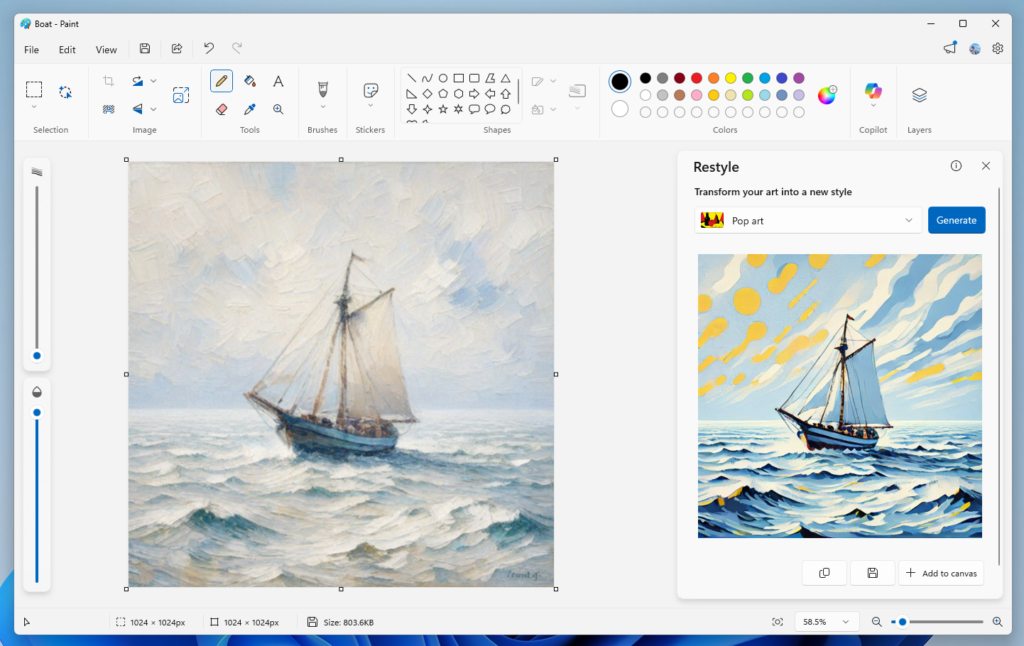 Paint showing a sailboat styled into Pop art.[/caption]
FEEDBACK: Please file feedback in Feedback Hub (WIN + F) under Apps > Paint. As always, we love getting feedback from the community and we will be looking out for your thoughts and suggestions on these updates! Thanks, Dave Grochocki, Principal Group Product Manager – Windows Inbox Apps
Continue reading...
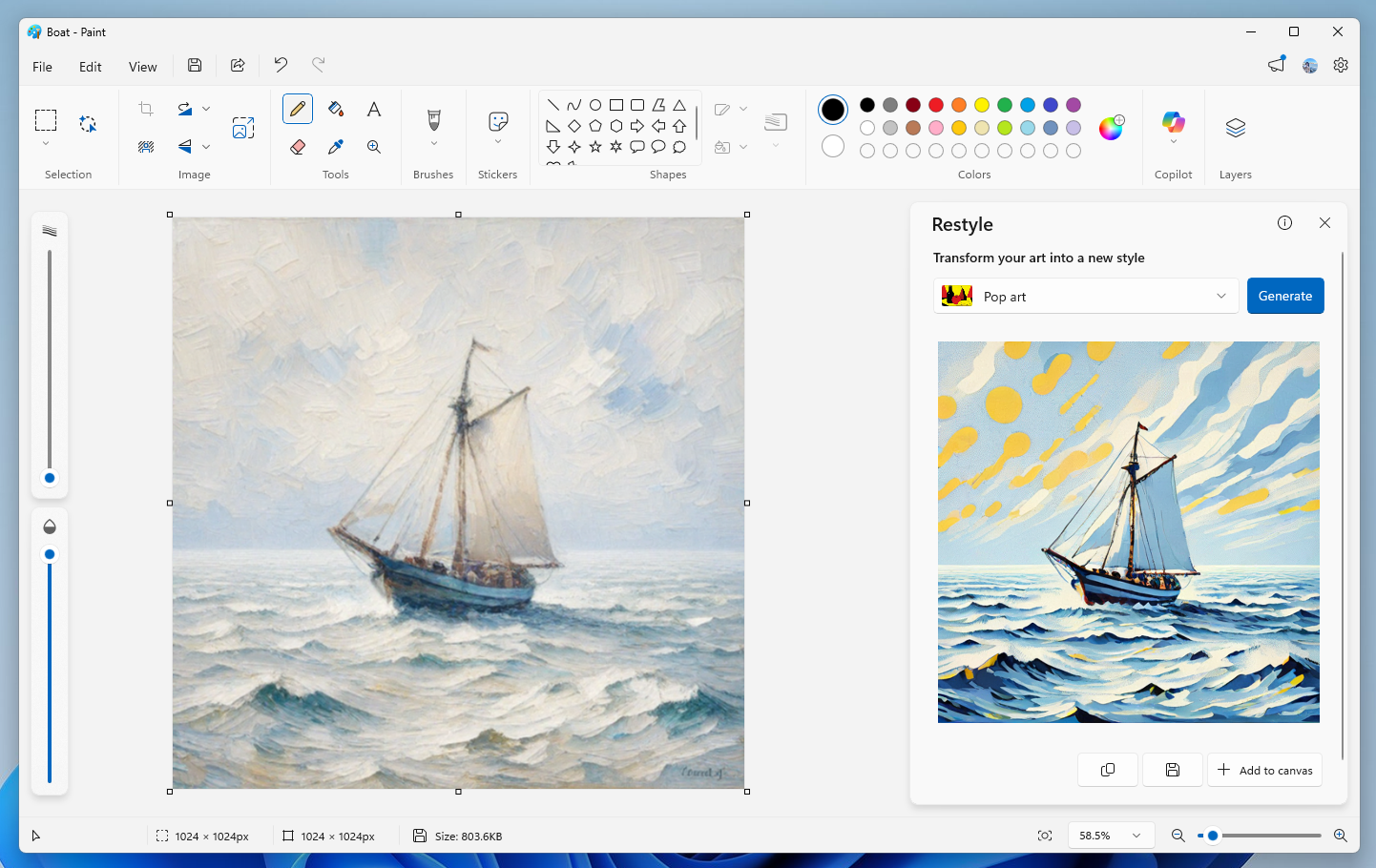 Paint showing a sailboat styled into Pop art.[/caption]
 Restyle will be available on Snapdragon-powered Copilot+ PCs. To use Restyle, you will need to sign in with your Microsoft account.
FEEDBACK: Please file feedback in Feedback Hub (WIN + F) under Apps > Paint. As always, we love getting feedback from the community and we will be looking out for your thoughts and suggestions on these updates! Thanks, Dave Grochocki, Principal Group Product Manager – Windows Inbox Apps
Continue reading...


