Follow along with the video below to see how to install our site as a web app on your home screen.
Note: This feature may not be available in some browsers.
Welcome to TheWindowsForum
Since 2010 — Over 15 years of helping Windows users worldwide.
Join thousands of Windows enthusiasts & IT pros. Ask questions, share tips, download resources,
and connect with the community — free and always friendly.
Sergey Tkachenko over at Winaero wrote this quick, easy program to disable the Charm Bar.
You can download it from here: https://winaero.com/download-winaero-charms-bar-killer/
Quite frankly you know what the knee jerk reaction to this is "Run Windows 10!"
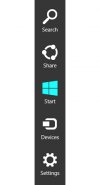
It is that annoying bar that pops out of the right side of you screen when you bring the mouse icon close. It has it's place on a touch screen I suppose but for me it's a royal pain in the ass on a desktop.
This was Microsoft's attempt to meld the touch screen GUI with the desktop GUI. As we all know after listening to many, many unhappy Win 8 owners is was a massive failure and was one of the main reasons for the Win 10 upgrade or so many corporate settings unwilling to let go of Windows 7.
I just was getting ready to complete a Windows 10 upgrade on a Lenovo Y50-70. What a pain that Win 8 GUI is! Brother I have no idea how you didn't see that in your installations. Consider yourself a very lucky man.
This site uses cookies to help personalise content, tailor your experience and to keep you logged in if you register.
By continuing to use this site, you are consenting to our use of cookies.