website stat The Windows Enhancement Utility | The Windows Forum
Install the app
How to install the app on iOS

Follow along with the video below to see how to install our site as a web app on your home screen.

Note: This feature may not be available in some browsers.

Welcome to TheWindowsForum

Since 2010 — Over 15 years of helping Windows users worldwide.

Join thousands of Windows enthusiasts & IT pros. Ask questions, share tips, download resources, and connect with the community — free and always friendly.

  • Post & reply in threads
  • Private message other members
  • Access exclusive guides & downloads
  • NO ADS for registered users
The Windows Enhancement Utility

The Windows Enhancement Utility v2026-01-26

Joined
Apr 23, 2020
Messages
89
starhawk69 submitted a new resource:

The Windows Enhancement Utility - effortlessly debloating, optimizing and customizing your system

The Windows Enhancement Utility​

Enhance your Windows experience by effortlessly debloating, optimizing and customizing your system, giving you more control over how Windows performs. Easy to use tool that allows you to disable/remove unwanted Windows "features" with just a click.

Read more about this resource...
 
In my Honest and often debatable opinion, Over the years that Ive been using Windows, I dont think I can recall there EVER being a year whn someone comes up with a "Windows will work better with this program". Not that I dont fully appreciate the time and effort that goes into such a project, it is always fully and admirably appreciated that the art of coding is still around.

Personally, optimisation programs I have used in the past, although nice and shiney when new, tend to fall by the wayside when it comes to updating said program regularly. The programs that get optimised are frequently altered to prevent usage being stalled, stopped or even deleted and to prevent these changes happening the structure or build dynamic of the program is changed so as to make it unrecognisable to optimiser programs.

All efforts in this area are fully appreciated by us all, please do not mistake this post as criticism, it is intended more to add a future layer to the optimising coders.

I personally have a list of updates and optimisations I do to my systems and those I create that get rid of some of the junk in the Operating System for good. Take for instance my fight to rid the system of Windows Defender, left running in the background, it can hog resources, override agreed files for exclusion, heres my main bug (IT DELETES ANY OF MY CODE BUILDING FILES IT DOESNT LIKE WITHOUT ASKING IF ITS OK) If I need a grandma to overlook my system I will write one, many thanks Microsoft, now get on with releasing WIndows 12 to the world before someone else does.

As a coder and I suppose I could be called a hacker of code from various sources and locations, I find I have to leave my system more or less fully functional as a Windows build so any codes I write can be run on all mackines without causing system crashes, locks and general bloops that are sometimes the cause of Optimisation.

As an Optimisation program goes, this one is well written, but just attacks the general time wasters in all OS builds. A good attempt that can be better. As I said efforts in this line are always appreciated. Even the best of us miss things occasionally out of the 350,000 piece Jigsaw that is Windows or Mac OS. Keep up the work and dont forget to go back over your waork to check it still functions. You all know how much Microsoft loves to mess with things it thinks it knows work correctly.
 
In my Honest and often debatable opinion, Over the years that Ive been using Windows, I dont think I can recall there EVER being a year whn someone comes up with a "Windows will work better with this program". Not that I dont fully appreciate the time and effort that goes into such a project, it is always fully and admirably appreciated that the art of coding is still around.

Personally, optimisation programs I have used in the past, although nice and shiney when new, tend to fall by the wayside when it comes to updating said program regularly. The programs that get optimised are frequently altered to prevent usage being stalled, stopped or even deleted and to prevent these changes happening the structure or build dynamic of the program is changed so as to make it unrecognisable to optimiser programs.

All efforts in this area are fully appreciated by us all, please do not mistake this post as criticism, it is intended more to add a future layer to the optimising coders.

I personally have a list of updates and optimisations I do to my systems and those I create that get rid of some of the junk in the Operating System for good. Take for instance my fight to rid the system of Windows Defender, left running in the background, it can hog resources, override agreed files for exclusion, heres my main bug (IT DELETES ANY OF MY CODE BUILDING FILES IT DOESNT LIKE WITHOUT ASKING IF ITS OK) If I need a grandma to overlook my system I will write one, many thanks Microsoft, now get on with releasing WIndows 12 to the world before someone else does.

As a coder and I suppose I could be called a hacker of code from various sources and locations, I find I have to leave my system more or less fully functional as a Windows build so any codes I write can be run on all mackines without causing system crashes, locks and general bloops that are sometimes the cause of Optimisation.

As an Optimisation program goes, this one is well written, but just attacks the general time wasters in all OS builds. A good attempt that can be better. As I said efforts in this line are always appreciated. Even the best of us miss things occasionally out of the 350,000 piece Jigsaw that is Windows or Mac OS. Keep up the work and dont forget to go back over your waork to check it still functions. You all know how much Microsoft loves to mess with things it thinks it knows work correctly.When
When I tested it on Windows 11 Pro 25H2, the boot process was much slower, and the apps that load in the background when it boots took a very long time to run. I can tell you that IObit Advanced SystemCare Pro, along with Process Lasso Pro and IObit Driver Booster 10 , just set them up, and they will keep your system SOLID AND FAST --- Trust me, I have tested all the optimizer apps, and the ones I mentioned actually work when used together.
 
When I tested it on Windows 11 Pro 25H2, the boot process was much slower, and the apps that load in the background when it boots took a very long time to run. I can tell you that IObit Advanced SystemCare Pro, along with Process Lasso Pro and IObit Driver Booster 10 , just set them up, and they will keep your system SOLID AND FAST --- Trust me, I have tested all the optimizer apps, and the ones I mentioned actually work when used together.
So your using 3 optimiser programs to make your system run faster.

What do I use, erm thinking here. TASKMANAGER. STARTUP tab. Thats all.

If its junk it gets shut down at source.

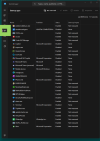
1770084775548.png

Example of my OPTIMISED worktop. If I want a DESKTOP that does something different or looks different in the setup or layout of programs, I make a new Desktop, ( ICON NEXT TO SEARCH ON THE TASKBAR)
In the list, if its a program that I want to run when I want it to run its disabled from sitting in memory and taking up time on the boot up.

BOOT TIME on this setup, 23 seconds. Not 5.3 minutes that it would take with it all loaded at the start. With 64GB of ram it holds it all.
 
So your using 3 optimiser programs to make your system run faster.

What do I use, erm thinking here. TASKMANAGER. STARTUP tab. Thats all.

If its junk it gets shut down at source.

View attachment 6936

Example of my OPTIMISED worktop. If I want a DESKTOP that does something different or looks different in the setup or layout of programs, I make a new Desktop, ( ICON NEXT TO SEARCH ON THE TASKBAR)
In the list, if its a program that I want to run when I want it to run its disabled from sitting in memory and taking up time on the boot up.

BOOT TIME on this setup, 23 seconds. Not 5.3 minutes that it would take with it all loaded at the start. With 64GB of ram it holds it all.
Advanced SystemCare Pro is for the optimization
Driver Booster is to keep the drivers I choose to keep updated automatically
Process Lasso takes the place of Task Manager with Process Lasso's best performance settings.

And as I said, they play very well together.

My boot time is about 12 seconds
 
I just use Ashampoo Drier Updater to see to my drivers, BUT for reasons best known to itself it doesnt update the Graphics drivers, not that this is a massive issue they get done by the NVIDIA App.

Good informative post.

Links to the software would be a good addition im thinking.
 
WINHANCE


worth a look, Microsoft throws a wobbler with a "No you cant run that here, " warning but it does do everything it says on the tin.
 
WINHANCE


worth a look, Microsoft throws a wobbler with a "No you cant run that here, " warning but it does do everything it says on the tin.
Yes, I learned to disable any graphic drivers auto-updating in the apps, as Windows manages those drivers very well without any help.

I actually choose what I want to auto-update but only run that app when I choose to run it, not at boot-up. on my server with the 30TB of shared files that runs 24/7 and auto-updates all the time as needed on that server.
 

Support TheWindowsForum

Help us stay ad-free and keep the community running

Donate Now

Trending content

Back
Top