website stat How to Speed Up Internet on Windows 11 (2026) | The Windows Forum
Install the app
How to install the app on iOS

Follow along with the video below to see how to install our site as a web app on your home screen.

Note: This feature may not be available in some browsers.

Welcome to TheWindowsForum

Since 2010 — Over 15 years of helping Windows users worldwide.

Join thousands of Windows enthusiasts & IT pros. Ask questions, share tips, download resources, and connect with the community — free and always friendly.

  • Post & reply in threads
  • Private message other members
  • Access exclusive guides & downloads
  • NO ADS for registered users

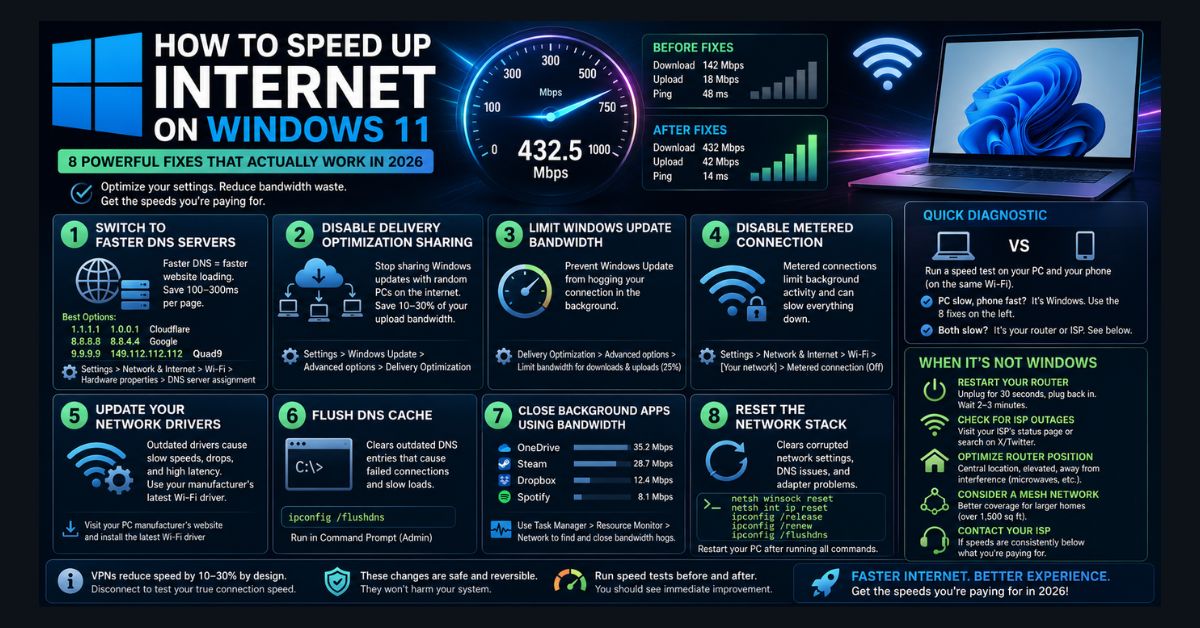
How to Speed Up Internet on Windows 11 (2026)

AFFASocial

Ultimate Donator
VIP
Joined
Jun 26, 2021
Messages
1,387
Spot on tips that actually work :)

How to Speed Up Internet on Windows 11 (2026)​


Also, don't forget to set the DNS settings in the router to Cloudflare DNS 1.1.1. and 1.0.0.1 or Google to get the speed improvements. Also, do the same in the adapter settings as well. Trust me, they work.

The local IP depends on your router; some have access or start with 192.168.0.1 or 192.168.4.1, and you set the IP in the router to start with, for example, 192.168.1.32, so all other computers on your network would start from 192.168.1.33 through 192.168.1.255. And when you give each device a dedicated IP, it is much faster transferring files between computers on the same IP ranges, which works great for me.
 
Last edited:
Nice post AFFA.

Personally I go the route of tuning the MTU. Maximum Transferable Unit of data per packet.

A misconception of all Internet Service Providers is that they all think they provide a perfect and stable connection to all the web. This is not tru in ALL cases.

Back in the day I had a 56K modem, Audio, Used a standard telephone line. This was useless if you lived more than 5 miles of cable from the Exchange. Due to the wires being Aluminium or Copper and the subsequent internal capacitance of the line itself caused what should be a square wave (digital Signal) to become an Audio single (Wave) the further from the exchange you were connected. Sadly people living beyond the 5 mile barrier were most likely to be unable to receive the internet signal. Imagine clean clear tone in speaker turn up the bass and drop the treble and it becomes a wooly sound . This is no good for the old modems. But you could make your connection better by adjusting the MTU
in your router or modem, even today the arrogance of ISP's that they provide a perfect service is wrong. Every router issued by every manufacturer reaches your living area with its MTU set to 1500 this is the maximum it can be.

10 times out of 10 this number is too high for the rest of the internet. Adjusting it will give a more stable and consistant signal to all web servers. To work out mine correctly on every Router I install I use a program thats been around since my first days on the net

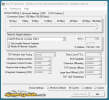
TCP Optimiser
1790727988049.png

Available at this site.
This has versions from Win 3.1 throught to Windows 11. It hasnt changed and still succeeds where other things fail.

Basically as you connect to a site each data packet is sent and received 4 times between you and the site you are looking at. This is to maintain best connection and lost data due to line noise. Even on today Faster Light speed internet FIBRE this program works well. Reducing the MTU from 1500 to, for example. Mine is set to 1472 this is the least fragmented and fastest packet size I can use to give my download speed and upload speed a more consistent rate in both directions, hence my net works its fastest possible.

REMEMBER IF YOU USE THIS PROGRAM THAT IT HAS TO BE RUN IN ADMINISTRATOR MODE TO ALLOW IT TO CHANGE SYSTEM SETTINGS.
 

Attachments

  • 1790727709661.png
    1790727709661.png
    31.4 KB · Views: 0
Nice post AFFA.

Personally I go the route of tuning the MTU. Maximum Transferable Unit of data per packet.

A misconception of all Internet Service Providers is that they all think they provide a perfect and stable connection to all the web. This is not tru in ALL cases.

Back in the day I had a 56K modem, Audio, Used a standard telephone line. This was useless if you lived more than 5 miles of cable from the Exchange. Due to the wires being Aluminium or Copper and the subsequent internal capacitance of the line itself caused what should be a square wave (digital Signal) to become an Audio single (Wave) the further from the exchange you were connected. Sadly people living beyond the 5 mile barrier were most likely to be unable to receive the internet signal. Imagine clean clear tone in speaker turn up the bass and drop the treble and it becomes a wooly sound . This is no good for the old modems. But you could make your connection better by adjusting the MTU
in your router or modem, even today the arrogance of ISP's that they provide a perfect service is wrong. Every router issued by every manufacturer reaches your living area with its MTU set to 1500 this is the maximum it can be.

10 times out of 10 this number is too high for the rest of the internet. Adjusting it will give a more stable and consistant signal to all web servers. To work out mine correctly on every Router I install I use a program thats been around since my first days on the net

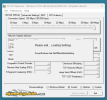
TCP Optimiser
View attachment 7230

Available at this site.
This has versions from Win 3.1 throught to Windows 11. It hasnt changed and still succeeds where other things fail.

Basically as you connect to a site each data packet is sent and received 4 times between you and the site you are looking at. This is to maintain best connection and lost data due to line noise. Even on today Faster Light speed internet FIBRE this program works well. Reducing the MTU from 1500 to, for example. Mine is set to 1472 this is the least fragmented and fastest packet size I can use to give my download speed and upload speed a more consistent rate in both directions, hence my net works its fastest possible.

REMEMBER IF YOU USE THIS PROGRAM THAT IT HAS TO BE RUN IN ADMINISTRATOR MODE TO ALLOW IT TO CHANGE SYSTEM SETTINGS.
Yes, I have used this as well :)
 

Support TheWindowsForum

Help us stay ad-free and keep the community running

Donate Now

Trending content

Back
Top