
ThumperTM
Windows Ninja
- Joined
- Aug 18, 2010
- Messages
- 14,192
- Thread Author
- #1
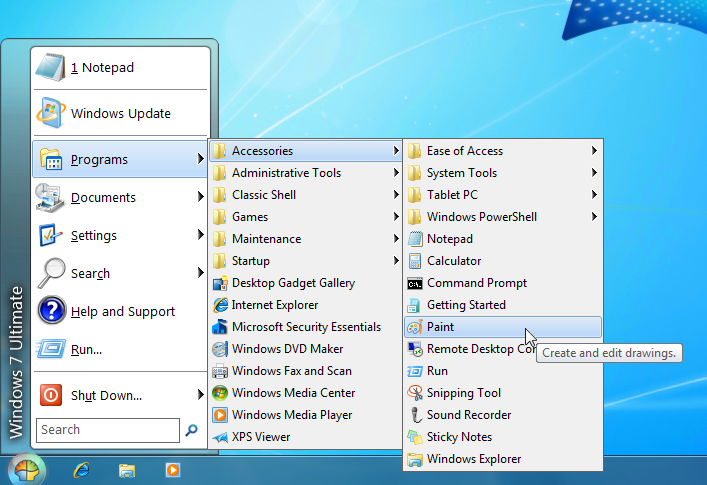
What is Classic Shell?
Classic Shell is a collection of features that were available in older versions of Windows but were later removed. It has a customizable Start menu and Start button for Windows 7 and Windows 8, it adds a toolbar for Windows Explorer and supports a variety of smaller features.
Classic Start Menu is a clone of the original start menu, which you can find in all versions of Windows from 95 to Vista.
It has a variety of advanced features:
- Drag and drop to let you organize your applications
- Options to show Favorites, expand Control Panel, etc
- Shows recently used documents. The number of documents to display is customizable
- Translated in 35 languages, including Right-to-left support for Arabic and Hebrew
- Does not disable the original start menu in Windows. You can access it by Shift+Click on the start button
- Right-click on an item in the menu to delete, rename, sort, or perform other tasks
- The search box helps you find your programs without getting in the way of your keyboard shortcuts
- Available for 32 and 64-bit operating systems
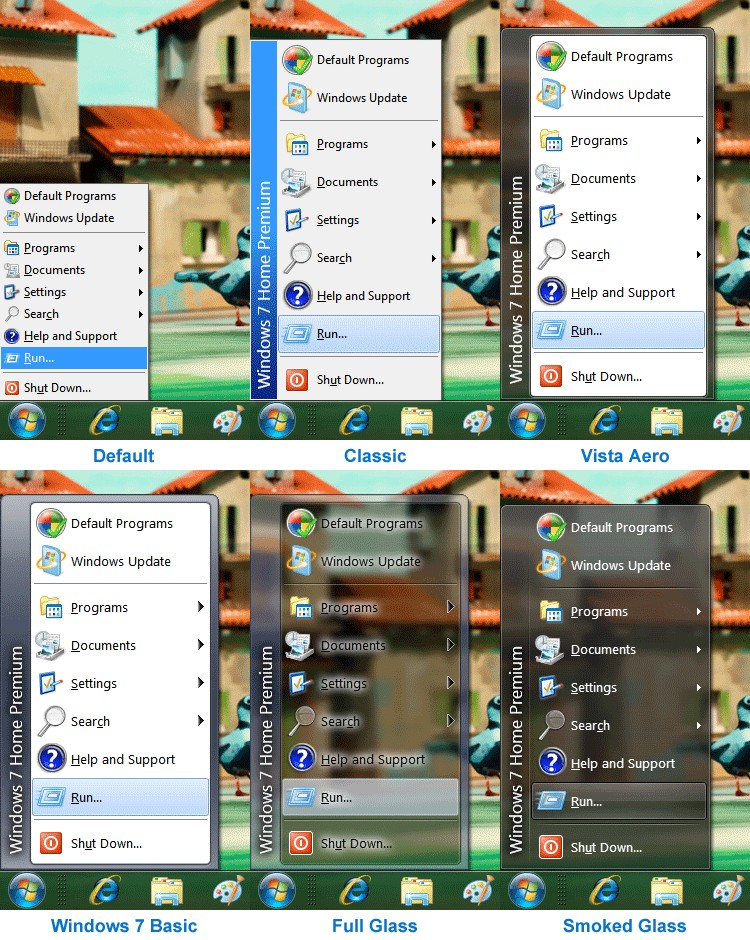
- Has support for skins, including additional 3rd party skins
- Fully customizable in both looks and functionality
- Support for Microsoft’s Active Accessibility
- Converts the “All Programs” button in the Windows menu into a cascading menu (Vista and Windows 7)
- Implements a customizable Start button (Windows 7 and 8)
- And last but not least – it's FREE!
More at the official site: http://classicshell.sourceforge.net/index.html
and here: http://www.codeproject.com/Articles/45430/Classic-Shell
All Features: http://classicshell.sourceforge.net/features.html


