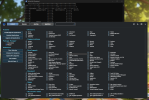
One thing is driving me nutz. I am trying to shrink the taskbar height in Win 11, not hide it.
I have done the registry hack, no effect. It seems that all the tweak programs do so be altering the registry values. There isn't that option available in the taskbar options panel.
Any of you wiz kids know what I am missing?
Thanks.
Hi Mr Dog,
I assume you have tried the Drag option to reduce it?
Biggest issue with taskbar is it utilises one of 4 icon sizes 16 x 16, 32 x 32, 64 x 64 and 256 x 256 and making an icon thats readable at less than that size it a challenge in itself. Readability.
I am assuming here that you are using a medium range laptop with the normal LED screen installed, this in itself presents an issue with controlled resolution steps in screen size and the taskbar kind of falls in line with the screen size. The autohide option is great because you can call the taskbar back into life at any point and let it fall back again.
The main reason for resolution stepping in those sizes is because of the physical size of screen components the LED (Light emitting Diode) type each LED has a physical size to be taken into acoount. Which in turn means that having a resolution thats half way between a pair of rows of diodes means there is no way to see what should be on the screen.
This has been the case since the days of first monitors, the Plasma tube and whatever other sizes. It may be annoying, but stick with the normal Taskbar its that size so it doesnt look like its only half there.
Having repaired screen that have had the display mask knocked out of place I can tell you that reduction in image clarity results in very wierd displays.
I will investigate, but the resolution steps are there for a reason.


 Open powershell as Admin and copy this.