Since 2010 · Windows 11 · 10 · 8 · 7

Welcome to TheWindowsForum

Over 15 years of helping Windows users worldwide. Ask questions, share tips, download resources and connect with the community — free and always friendly.

SignUp Free Already a member? Log in
  • Post & reply in threads
  • Private messages
  • Exclusive guides & downloads
  • NO ADS for registered users

I am Looking for a simple Program. REGISTRY CLEANER

Diguelo

Donator
Joined
Feb 1, 2023
Messages
947
Back in the days of old whne 90% of your issues were registry corruptions. Im interested to now if anyone has a program that ONLY, cleans out the registry on a computer. Back in the day we had a few but none work in and x64 environment.

Now today if you now of one that leaves files alone and just sorts out registry issues, reply to this please, Id love to see if one exists and have a play
 
On my current system I do not use any optimize/cleanup apps, but when I do, I prefer Iobit Advance System Care, as it allows you to just select what you want cleaned/optimized, and as far as driver updates go, if I use any app for that, it is Iobit Driver Booster.


Wise Registry Cleaner is a free, focused Windows tool for scanning and cleaning registry entries, with a backup option to help undo changes. Registry cleaning rarely improves performance noticeably, and Windows’ built-in maintenance tools are generally safer for routine cleanup.


Hope it meets your needs. Have an awesome day :)
 
Last edited:
revo has a tool for that, had you tried it?
I have always had great luck with Revo's and EaseUS's tools.
I do have to agree that registry clean-up utilities are more for system cosmetics rather than speed increases.
Registry damage can cripple or disable your O/S so backups with a copy off of C drive is good insurance, however the good well reviewed programs do their thing effectively.
 
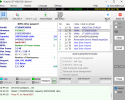
1795862681479.png

VALERIE 567

Does just what I was after, A long time back I found that some of my old HDD, thats ones that sound like a spinning thing. They had errors on them due to work loads, but the main and Ill go as far as to say the ONLY errors were all excessive use of the Master File Table. This thing Not only tracked the error, resued what it could and even rewrote the index back to disk so that all data could be retreved.

Unlike the "Oh why do you want just One job when this can do this, this, this, this, this and as an added bonus for just $99.50 it can do the job you want it to do.

I have learned a long time back that if you need a program to do a specific task on a specific device, General SOftware most of the time doesnt do what you really need. Especially where old drives are concerned. I had one that needed to be rescued to get some old tools off it beofre assigning it to a Coffee stand job or a door prop. I hate losing data.

The ones suggested, Ease US, nothing EASY about forking out cash when you can get it for free. Commercial Swiss army knives are about as much use as one and most of the time where disks are concerned concentrate on S.M.A.R.T. to tell you where errors are. Till you leave it running for hours or days while it tries to work out gods address.

I asked for a specific Program to do this task, mainly due to the limitations of the items it was needed to fix. Out of 8 defunkt drives it ressurected 7 that just had a bad sector or somethihng. The one it didnt was a noisy old Maxtor more than likely fell to pieces inside.

Thanks to you all for your input it is appreciated.

As for the Registry Cleaner. Again Swiss army knife theory. I recalled one from years ago PC Tools I think it was. Registry cleaners I have found so far dont JUST do this and have a lot of extra stuff I dont want happening like Clean Out my disks. Clear up this Junk, take out the trash etc.

Just a Registry Cleaner, is what I am after.
 

Support TheWindowsForum

Help us stay ad-free and keep the community running

Donate Now

Trending content

Back
Top