website stat Illustrator always disabled by adobe after installation | The Windows Forum
Install the app
How to install the app on iOS

Follow along with the video below to see how to install our site as a web app on your home screen.

Note: This feature may not be available in some browsers.

Welcome to TheWindowsForum

Since 2010 — Over 15 years of helping Windows users worldwide.

Join thousands of Windows enthusiasts & IT pros. Ask questions, share tips, download resources, and connect with the community — free and always friendly.

  • Post & reply in threads
  • Private message other members
  • Access exclusive guides & downloads
  • NO ADS for registered users

Illustrator always disabled by adobe after installation

ggfd

New Member
Joined
Nov 18, 2023
Messages
3
Hi
I had Illustrator installed and it ceased working. Then I dowloaded it from another torrent and it got disabled right after installation. I tried several version and the last one was TheWindowsForum's 27.2.0.339 and the result was the same. There was a creative cloud process in my task manager so I shut it dow and deleted CC's folder, just to see. Even like that, adobe was able to spot me.

Does anyone here know what's the problem ?

Thak you so much
 
Not sure if this helps

you have to be specific when you talk about "year" versions (like 2020, 2021, etc), AND you have to be specific about Zii patch versions. Only certain app versions can be patched by certain Zii versions -- they don't mix willy-nilly. Some people find their apps updated "automatically" by Creative Cloud, then they try to go back and re-patch using the Zii version they had (or the "latest" on the web, anyway), and it doesn't work -- that's because there's a leapfrog effect between Adobe and Zii. You MUST wait for Zii to catch up with the Adobe app updates for the patcher to work.
 
Hey,
Indeed, I forgot to mention. It's the 2023 windows version. Not all the cracks are from zii, are they ?
I tried sevral versions with several cracks. I got spotted everytime. Maybe they developped some kind of spy program that installs when they update the software and detect a modified dll but it's like no matter what I try in the end it's busted.
I shall ask a friend who never uses any adobe program to try one of the cracks and see what it does.
Or does what I'm telling you ring a bell already ?

Thanks !
 
It's obvious that you let Adobe go online and picked up the ANTI-crack there, and now it doesn't work for you.
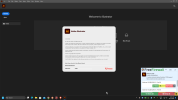
2023-12-07 09_43_56-Greenshot.png
 
Well I'm doing the exact same thing that is written in the readme and I'm quite used to use cracked software so I don't see how that'd be possible. Am I supposed to create firewall rules for adobe ? As I previously said, I also entirely deleted creativecloud.
 
You can't erase everything. Who knows where Adobe writes an anti-crack application that remains permanently. The upper picture shows that you have to prevent Adobe from going to the Internet with the firewall, only the NODE one can go to the Internet. Use FreeFirewall. I use pre-cracked version.
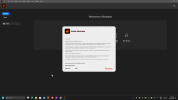
2023-12-07 14_26_54-Greenshot.png
 
First cry;) (Actually, I'm cursing:cool:;))did you read the post? :mad:It is clearly written that Illustrator must not go online. So uninstall everything completely and reinstall... However, if it was on the Internet, who knows what Adobe has pulledo_Oo_O and whether it can be installed or is followed by an OS installation first and then everything from scratch. As soon as it asks you to register... The rule is: "What did I do correctly!" If you get on the wrong train, all the stations are wrong. Registration is only for those who have subscribed for Adobe...
 
First cry;) (Actually, I'm cursing:cool:;))did you read the post? :mad:It is clearly written that Illustrator must not go online. So uninstall everything completely and reinstall... However, if it was on the Internet, who knows what Adobe has pulledo_Oo_O and whether it can be installed or is followed by an OS installation first and then everything from scratch. As soon as it asks you to register... The rule is: "What did I do correctly!" If you get on the wrong train, all the stations are wrong. Registration is only for those who have subscribed for Adobe...
How do I hide it behind the firewall using Windows Security only? And at what stage do I do it?
 
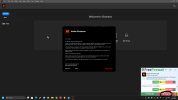
You need FreeFirewall = FreeFirewall Windows Security is CRAP. You should turn off Windows Defender is a must. There is nothing you can do with Windows Security. You must have a real-time firewall. Everything that goes on the Internet must be given explicit permission, nothing automatic. Like on the picture only NODE can go on internet. It is easy.
2025-08-17 14_03_30-Greenshot.png
 

Support TheWindowsForum

Help us stay ad-free and keep the community running

Donate Now

Trending content

Back
Top