I don't know if this will apply to your case, I faced the same problem, what I did and apparently seems to have solved the problem, I replaced the crack and after that I created a rule within the Windows defender firewall to prevent the Photoshop program from accessing the internet,
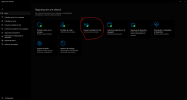
1 - open windows defender,
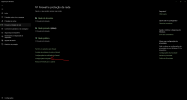
2 - Firewall and network protection,
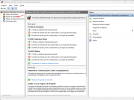
3 - search for "advanced settings",
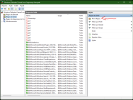
4 - in the new window that will open, look for outgoing rules
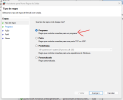
5 - click on "new rule",
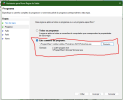
6 - Add a new rule for the program,
7 - Find the .exe of photoshop
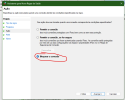
8 - Make sure the option is to block the connection
9 - Next > name the rule and finish!
10 - Repeat the process for other .exe within the same folder if you want, I did it with some others that I found necessary.
I did this on my machine, and on my office colleague's machine, and apparently it's still working without notification.
Thanks - I did this for Photoshop.exe