
TWF Bot
Staff member
- Joined
- Nov 29, 2020
- Messages
- 3,692

- Thread Author
- #1
Hello Windows Insiders, Today, we’re releasing new Windows 11 Insider Preview builds to the Beta and Experimental channels. New builds this week Select your channel below to view its release notes:
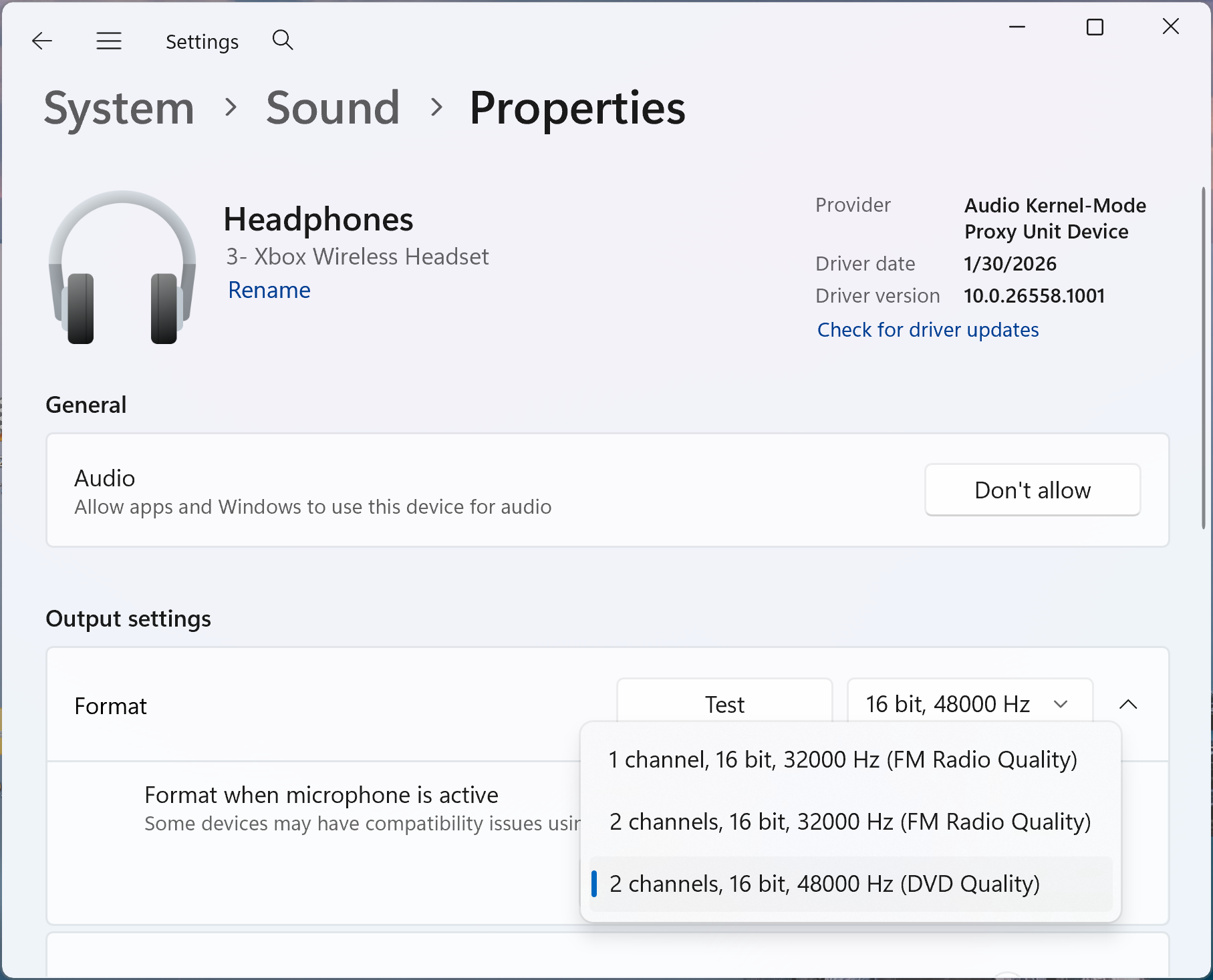 Output settings for a Bluetooth LE Audio device with Format when microphone is active set to 2 channels, 16 bit, 48000Hz.[/caption]
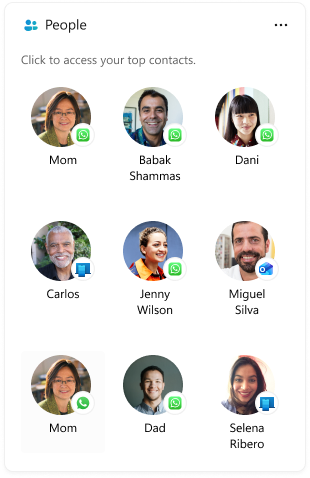 The People widget with a list of contacts from supported communication apps.[/caption] Thanks, Stephen and the Windows Insider Program team
Continue reading...
- Beta: Build 26320.10022
- Experimental: Build 26340.10032
- Beta (26H1): Build 28020.3562
- Experimental (26H1): Build 28120.3571
- Experimental (Future Platforms): Build 29712.1013
Notable new features:
[Bluetooth]
Release channel: Experimental- Bluetooth LE Audio devices can now play at full-range stereo fidelity while also using the device's microphone, ensuring you continue to hear great audio quality when in game chat, in a voice call, using voice typing, or using voice chat in Copilot Chat.
- When using an LE Audio device with a PC that supports Super Wideband Stereo, choose the new 2 channels, 16 bit, 48000Hz option from Settings > System > Sound > Output > {Bluetooth device} > Output settings > Format when microphone is active. This feature is available for LE Audio devices that support 48kHz playback, like headphones, earbuds, and speakers. If you encounter compatibility issues with the LE Audio device you're using, let us know through Feedback Hub.
Output settings for a Bluetooth LE Audio device with Format when microphone is active set to 2 channels, 16 bit, 48000Hz.[/caption][People widget]
Release channel: Experimental- The new People widget provides a way to quickly get back to the people you communicate with from the Windows Widgets board. The widget brings together relevant contacts from supported communication apps, making it easier to see the people you connect with and quickly continue a conversation.
- To try it, open the Widgets board using Windows key + W, select the + button to open the widget picker, and add the People widget. Selecting a contact opens the appropriate conversation in the supported communication app.
- Prerequisite: To see contacts in the widget, first set up Phone Link, WhatsApp, or both on your PC.
The People widget with a list of contacts from supported communication apps.[/caption] Thanks, Stephen and the Windows Insider Program teamContinue reading...
