Since 2010 · Windows 11 · 10 · 8 · 7

Welcome to TheWindowsForum

Over 15 years of helping Windows users worldwide. Ask questions, share tips, download resources and connect with the community — free and always friendly.

SignUp Free Already a member? Log in
  • Post & reply in threads
  • Private messages
  • Exclusive guides & downloads
  • NO ADS for registered users

ChatGPT made me a PDF levels fix for scanned files

philalethes

Donator
Joined
Jul 1, 2020
Messages
156

What is this?
If you have PDF files from a scanner, sometimes they are too dark due to settings.
WHAT IF you wished to lighten up the pages?
I could find no program or add-on to work within existing PDF's to alter levels on a page.
It seemed the only solution was to export each page as an image, then use Photoshop or some image program to process each page. If savvy you could make a batch file.
THEN, recombine each image into a New PDF.

So I asked ChatGPT to help build such an app. After a day's collaboration we tested out many iterations and GUI interfaces.
It involved Python scripts that downloaded Python, and PDF extraction apps.
In the end ChapGPT rolled all of this into a single portable app needing no downloads or install.
All you need is to extract "PDF Levels.zip" into the folder of your choice. Run PDF Levels.exe (needed dlls are in folder "internal").
See Readme for all details.

You can do preview test of single page, then sliders will adjust levels. It opens with default values that worked for me.
Readme lists more info and sources.

It's fast! 113 pages manual done in about 1 minute!
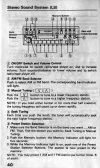
Before-levels.jpgAfter-levels.jpg
 

What is this?
If you have PDF files from a scanner, sometimes they are too dark due to settings.
WHAT IF you wished to lighten up the pages?
I could find no program or add-on to work within existing PDF's to alter levels on a page.
It seemed the only solution was to export each page as an image, then use Photoshop or some image program to process each page. If savvy you could make a batch file.
THEN, recombine each image into a New PDF.

So I asked ChatGPT to help build such an app. After a day's collaboration we tested out many iterations and GUI interfaces.
It involved Python scripts that downloaded Python, and PDF extraction apps.
In the end ChapGPT rolled all of this into a single portable app needing no downloads or install.
All you need is to extract "PDF Levels.zip" into the folder of your choice. Run PDF Levels.exe (needed dlls are in folder "internal").
See Readme for all details.

You can do preview test of single page, then sliders will adjust levels. It opens with default values that worked for me.
Readme lists more info and sources.

It's fast! 113 pages manual done in about 1 minute!
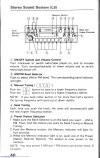
View attachment 6748View attachment 6749
Cool.
 

Support TheWindowsForum

Help us stay ad-free and keep the community running

Donate Now

Trending content

Back
Top