- Thread Author
- #1
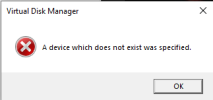
One of my secondary hard disks seems to have gone RAW and can't be accessed properly. Symptoms as follows
Disk shows up in under my PC in Explorer, with the correct name and free space

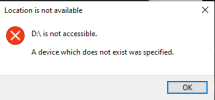
Trying to access it results in an error saying the drive is not accessible
Trying to run Chkdsk gives the error that the disk is RAW
"The type of the file system is RAW.
CHKDSK is not available for RAW drives."
But if I type a folder name directly into explorer, I can access the folder listing as if everything is fine
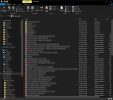
A couple of the files could even be opened normally by double-clicking, but not many.
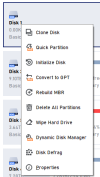
I have tried using AOMEI Partition Assistant to Rebuild MBR, but although it displayed a success message, it didn't actually achieve anything.
I tried Recuva, but it gave the same "not accessible error" when I tried to select the drive.
I am now running TestDisk to try and recover my Boot Partition, and it looks like it's going to take a while.
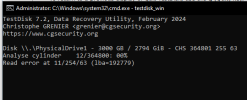
Any other suggestions on what I might be able to try? I REALLY want to save my data. Thanks in advance!
Disk shows up in under my PC in Explorer, with the correct name and free space
Trying to access it results in an error saying the drive is not accessible
Trying to run Chkdsk gives the error that the disk is RAW
"The type of the file system is RAW.
CHKDSK is not available for RAW drives."
But if I type a folder name directly into explorer, I can access the folder listing as if everything is fine
A couple of the files could even be opened normally by double-clicking, but not many.
I have tried using AOMEI Partition Assistant to Rebuild MBR, but although it displayed a success message, it didn't actually achieve anything.
I tried Recuva, but it gave the same "not accessible error" when I tried to select the drive.
I am now running TestDisk to try and recover my Boot Partition, and it looks like it's going to take a while.
Any other suggestions on what I might be able to try? I REALLY want to save my data. Thanks in advance!