website stat KB5012334—Delete the Windows.old folder using Storage sense in the Settings app | The Windows Forum
Install the app
How to install the app on iOS

Follow along with the video below to see how to install our site as a web app on your home screen.

Note: This feature may not be available in some browsers.

Welcome to TheWindowsForum

Since 2010 — Over 15 years of helping Windows users worldwide.

Join thousands of Windows enthusiasts & IT pros. Ask questions, share tips, download resources, and connect with the community — free and always friendly.

  • Post & reply in threads
  • Private message other members
  • Access exclusive guides & downloads
  • NO ADS for registered users

KB5012334—Delete the Windows.old folder using Storage sense in the Settings app

  • Thread Author

KB5012334—Delete the Windows.old folder using Storage sense in the Settings app​

Windows 11 Windows 10, version 20H2, all editions More...

Summary​

The Windows.old folder contains the previous version of Windows on your device. If you want to remove the previous version after you upgrade, the easiest method is to use Storage sense in the Settings app. Follow the steps below for your version of the Windows operating system.

Windows 10​

  1. Open Settings.
  2. Select System.
  3. Select Storage.
  4. In the Storage sense section, choose Change how we free up space automatically.
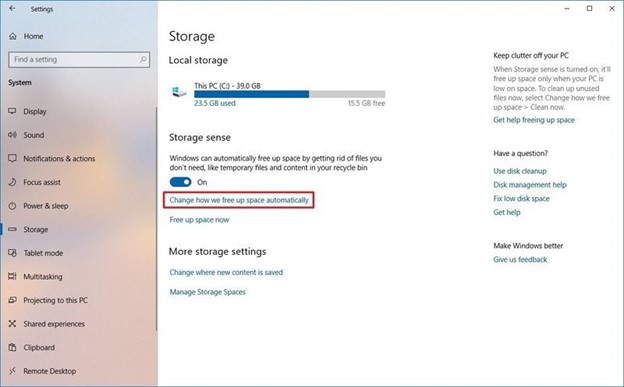
    b39c003b-328d-4f99-92f1-912ed4779d39.jpg
  5. In the Free up space now section, select the Delete previous version of Windows checkbox.
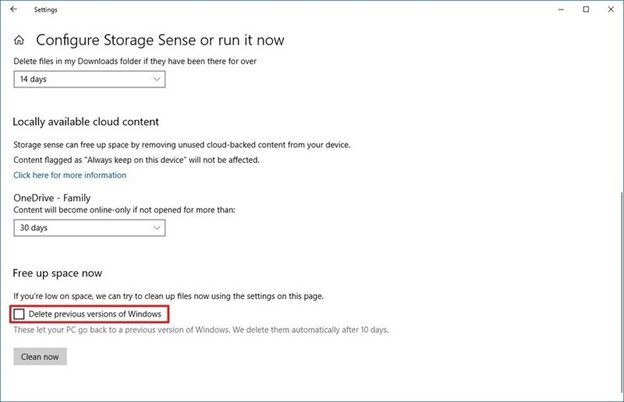
    70d29256-e001-471e-b79c-34d23614f2b3.jpg
  6. Then select the Clean now button.

Windows 11​

  1. Open Settings.
  2. Select System.
  3. Select Storage.
  4. Select Cleanup recommendations.
  5. Select the Previous Windows installation(s) checkbox.
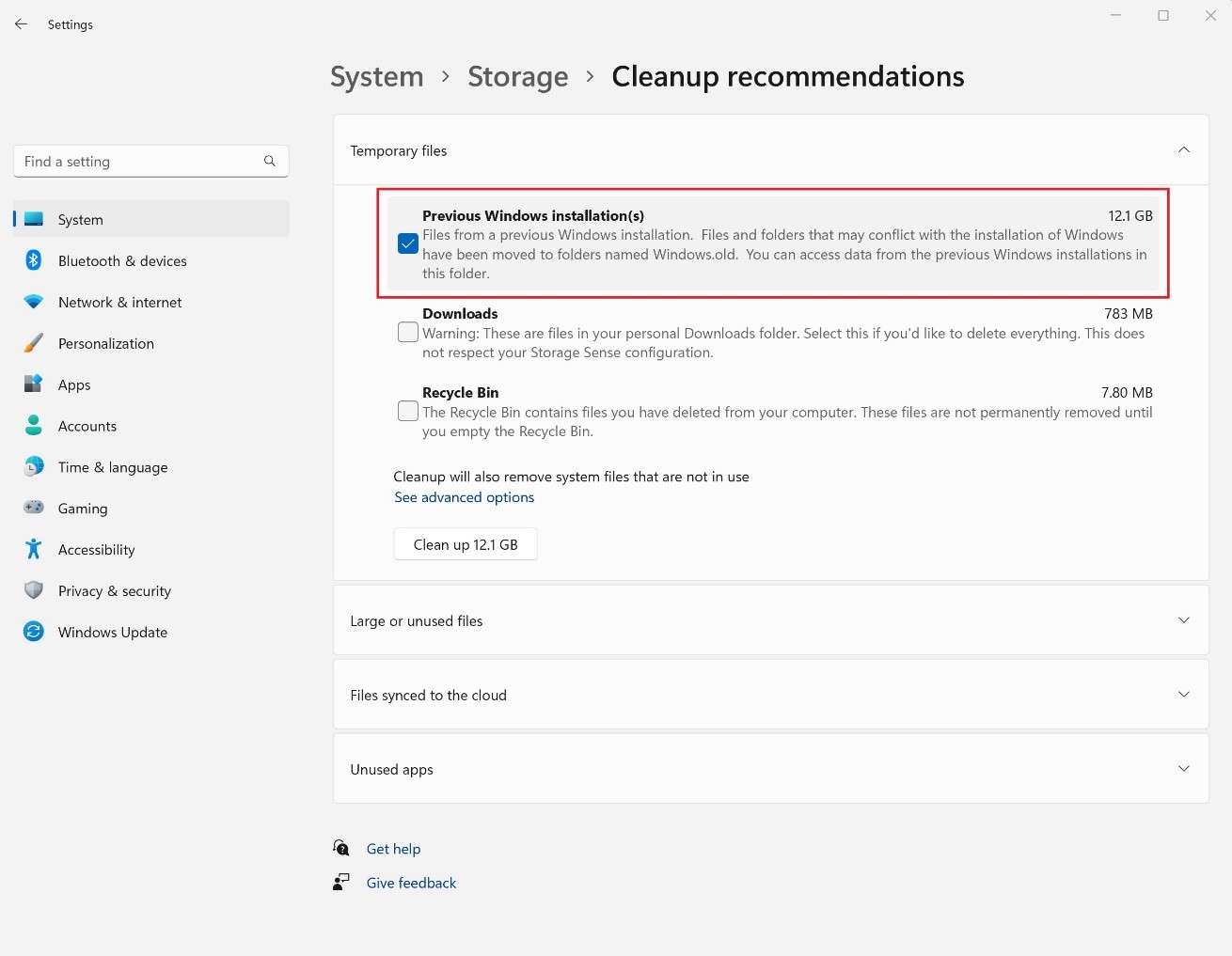
    1ad1243c-87ce-4fd0-94bb-3a6939672848.jpg
  6. Then select the Clean up button that displays the file size.

Continue reading...
 
Last edited by a moderator:
Clean installs may improve performance but this thread is a good tip. I always use bootable linux distros to delete those nitty gritty protected windows files but this will be more convenient for most.
 

Support TheWindowsForum

Help us stay ad-free and keep the community running

Donate Now

Trending content

Back
Top