Follow along with the video below to see how to install our site as a web app on your home screen.
Note: This feature may not be available in some browsers.
Since 2010 — Over 15 years of helping Windows users worldwide.
Join thousands of Windows enthusiasts & IT pros. Ask questions, share tips, download resources, and connect with the community — free and always friendly.
StartAllBack
My apologies I thought the earlier suggestion for `startAllblack` was for the background colours, I will give allBlack a go tomorrow.StartAllBack to fix all Windows 11 deal-breaking UI issues
StartAllBack restores taskbar, start menu, context menus, explorer, sanity, style and order!www.startallback.com
the best one
You are WelcomeMy apologies I thought the earlier suggestion for `startAllblack` was for the background colours, I will give allBlack a go tomorrow.
Thank you.
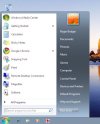
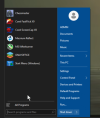
Glad to hear it worked for youI downloaded `startallblack` and yes I got my start menu etc back to more like win7.
Thanks to those that suggested it, over the coming days I will see what else i can change.
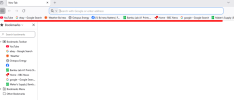
On the attached image how to I delete that `bookmark` horizontal bar underlined in red, to me it is just a duplicate of the bookmark menu on the left of page.View attachment 6899
That red-underlined bar is the Bookmarks Bar.
You can hide it by pressing Ctrl + Shift + B, or via the menu:
Menu → Bookmarks → Show bookmarks bar (untick it).
This will only hide the horizontal bar—the bookmarks menu on the left will remain unchanged.
you are welcomeThank you, that worked.