website stat Adobe Illustrator wants me to log in now? | The Windows Forum
Install the app
How to install the app on iOS

Follow along with the video below to see how to install our site as a web app on your home screen.

Note: This feature may not be available in some browsers.

Welcome to TheWindowsForum

Since 2010 — Over 15 years of helping Windows users worldwide.

Join thousands of Windows enthusiasts & IT pros. Ask questions, share tips, download resources, and connect with the community — free and always friendly.

  • Post & reply in threads
  • Private message other members
  • Access exclusive guides & downloads
  • NO ADS for registered users

Adobe Illustrator wants me to log in now?

joshhh

New Member
Joined
Jul 1, 2026
Messages
1
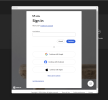
This is the second time i have downloaded illustrator from TPB, first time went fine it opened up and i managed to get a lot of work done, but today i opened it up and it said im using an unlicensed version (yes ofc fuck adobe) however when i click it away i cant open any new/blank projects, i uninstalled all adobe software and re installed illustrator using the original download. But now it is asking me to log in. How do i by pass this or have i installed it wrong?

Thanks!
 

Attachments

  • Screenshot 2026-07-01 002010.png
    Screenshot 2026-07-01 002010.png
    164.9 KB · Views: 4
Easy. There are two ways the right way and the wrong way. You learned the wrong way. The correct way is that you have to block Adobe from going to the Internet with the Firewall. Only node.js can access the Internet, nothing else from Adobe applications. That's why it occurs to you. You have https://www.evorim.com/en/free-firewall
 
To stop Adobe Illustrator from asking you to log in, try uninstalling and reinstalling the Creative Cloud desktop app, and ensure that you are using the correct version of the application. Additionally, you may need to delete any stored Adobe credentials from your system.
Adobe Adobe

Steps to Stop Adobe Illustrator from Asking to Log In​

If Adobe Illustrator is repeatedly prompting you to log in, follow these steps to resolve the issue.

Uninstall and Reinstall Creative Cloud​

  1. Uninstall the Creative Cloud Desktop App:
    • Use the uninstaller for the Creative Cloud desktop app.
    • Ensure all Adobe applications are closed during this process.
  2. Reinstall the Creative Cloud Desktop App:
    • Download the latest version from the Adobe website.
    • Install the app and sign in with your Adobe ID.

Delete Stored Adobe Credentials​

  • For Windows:
    • Open Control Panel and go to Credential Manager.
    • Remove any entries related to Adobe.
  • For Mac:
    • Open Keychain Access.
    • Search for and delete any entries related to Adobe.

Additional Tips​

  • Ensure you are using the correct version of Adobe Illustrator.
  • Check for any updates to the Creative Cloud desktop app and Illustrator.
  • Restart your computer after making these changes to ensure they take effect.
By following these steps, you should be able to stop Adobe Illustrator from asking you to log in repeatedly.
 

Support TheWindowsForum

Help us stay ad-free and keep the community running

Donate Now

Trending content

Back
Top