website stat Windows Defender WTF!! | The Windows Forum
Install the app
How to install the app on iOS

Follow along with the video below to see how to install our site as a web app on your home screen.

Note: This feature may not be available in some browsers.

Welcome to TheWindowsForum

Since 2010 — Over 15 years of helping Windows users worldwide.

Join thousands of Windows enthusiasts & IT pros. Ask questions, share tips, download resources, and connect with the community — free and always friendly.

  • Post & reply in threads
  • Private message other members
  • Access exclusive guides & downloads
  • NO ADS for registered users

Windows Defender WTF!!

DVDR_Dog

Ultimate Donator
VIP
Joined
Nov 5, 2018
Messages
3,523
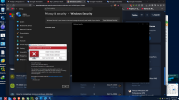
I have tried all the fixes out there to disable Defender. Even though all the fixes are in place, it's still grabbing cracks, keygens, etc.
Any suggestions? Making me nuts try to set up a new main system. Everything I try to install gets grabbed and sometimes instantly deleted.
 
I have tried all the fixes out there to disable Defender. Even though all the fixes are in place, it's still grabbing cracks, keygens, etc.
Any suggestions? Making me nuts try to set up a new main system. Everything I try to install gets grabbed and sometimes instantly deleted.
Mister, if you look at the old posts, I already explained how Defender is easily and permanently turned off FOREVER. Go here and watch EVERYTHING carefully. Here is a zip file with all the tools for deactivating and deleting defender and stop crying. :mad::mad::mad:
 

Attachments

I did that and took some other steps to prevent tampering. It still awakes out of nowhere to flag some Microsoft cracks as well as others. I wait with bated breath for the Windows update that somehow turns the darn thing back on. It's always there hiding in the background worse than Adobe in some ways.

That crack you list basically tries to trick Windows Defender into thinking you have another A/V installed and no longer needs it's service. There are still over-rides it seems.
 
I did that and took some other steps to prevent tampering. It still awakes out of nowhere to flag some Microsoft cracks as well as others. I wait with bated breath for the Windows update that somehow turns the darn thing back on. It's always there hiding in the background worse than Adobe in some ways.

That crack you list basically tries to trick Windows Defender into thinking you have another A/V installed and no longer needs it's service. There are still over-rides it seems.
Excluding the drive or folder from the SCANS, then under security/apps & browser control/smart app control, just turn it off. For me and what I do, this pretty much covers it all.
 

Support TheWindowsForum

Help us stay ad-free and keep the community running

Donate Now

Trending content

Back
Top